
A clean pharmacy dashboard with actionable tiles keeps key tasks at your fingertips — from expiry tracking and recalls to waste management and reports.

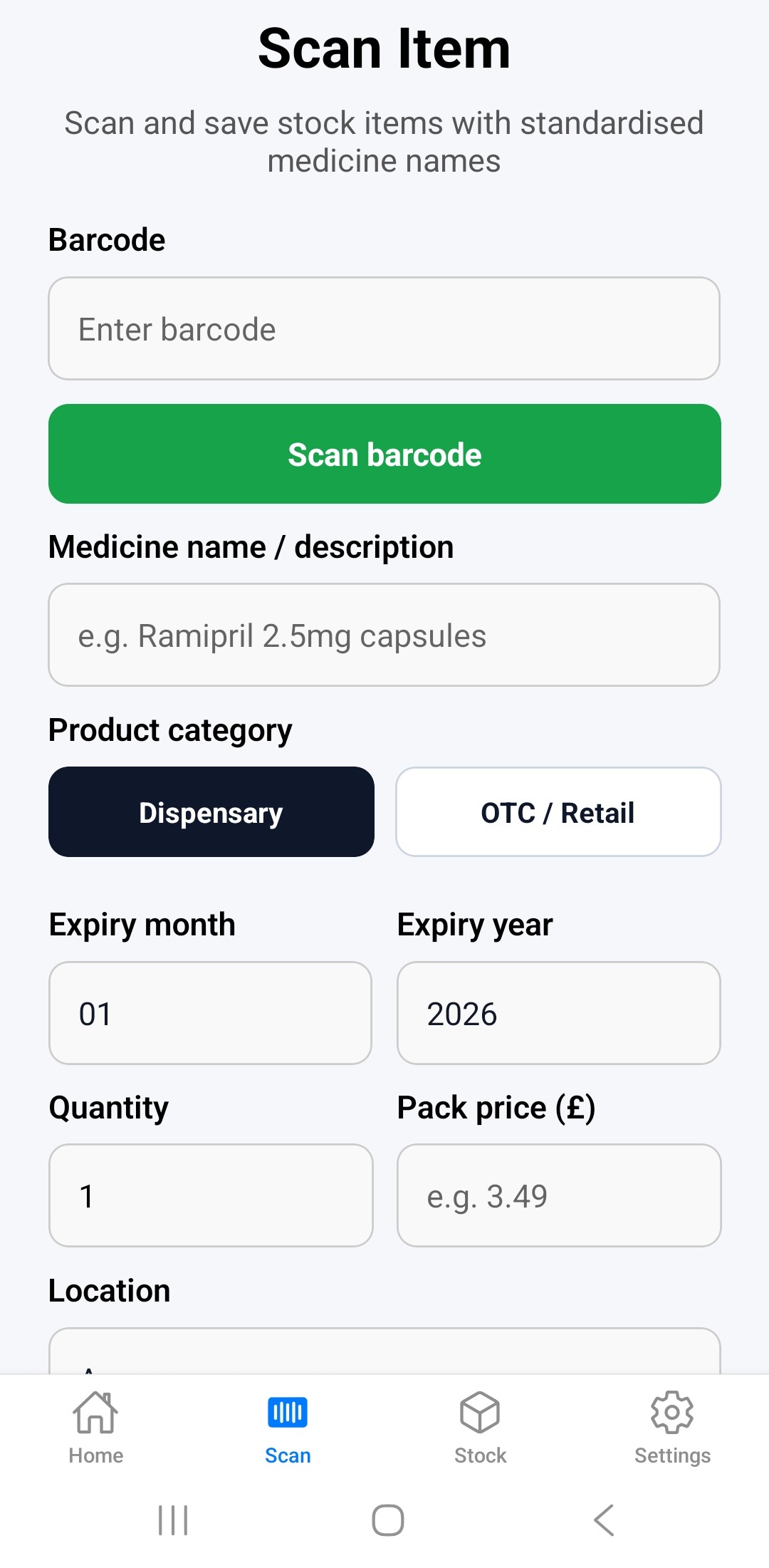
1. Add stock quickly
- scan standard or 2D medicine barcodes
- or type medicine manually
- remembered for future scans
Scan medicine barcodes including GS1/2D codes, or enter medicines manually. PharmaAudit remembers previously scanned products, medicine names and barcode mappings, making future stock entry faster and reducing repeated typing.
2. Track expiry dates
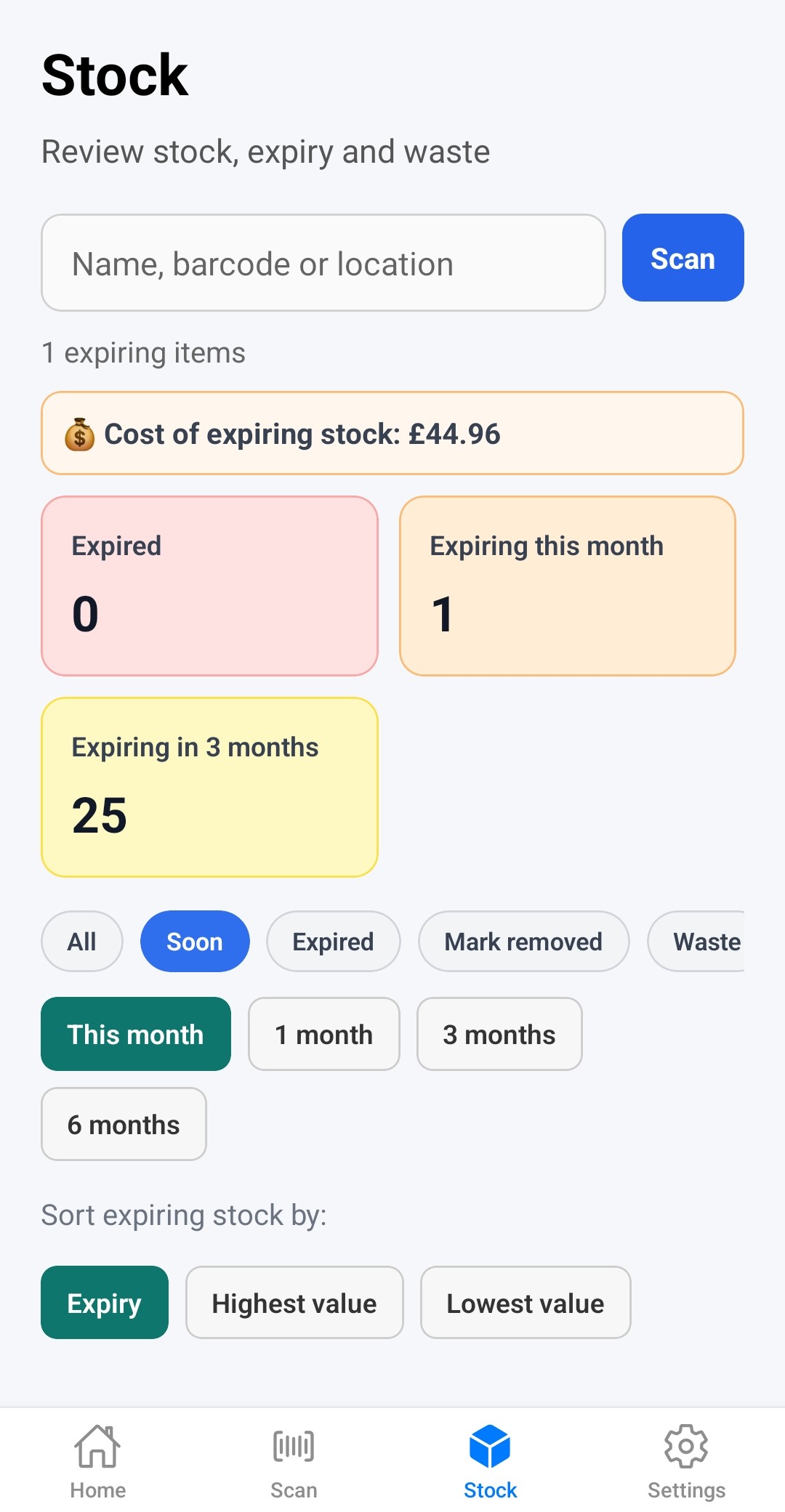
Quickly identify medicines expiring this month or within the next 1, 3, or 6 months. Manage expired stock more efficiently and reduce unnecessary waste. Filter stock by expiry dates (within 1, 3, or 6 months) and drug value. See the total value of expiring stock.
3. Remove stock safely
Find expiring stock in the app in seconds: scan barcode, find by name or location. Comprehensive actions for expiring stock:
- Used / dispensed
- Removed/set aside
- Destroyed
- Deleted
4. Near-miss recording
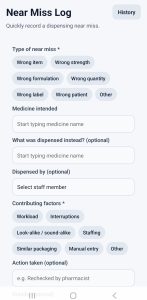
Replace paper-based near-miss logs with a fast and simple digital workflow designed for busy pharmacies. Record incidents in seconds, review near-miss history, and identify common error patterns more easily. Future updates will include more advanced near-miss analysis and reporting tools.
5. Drug recall workflow
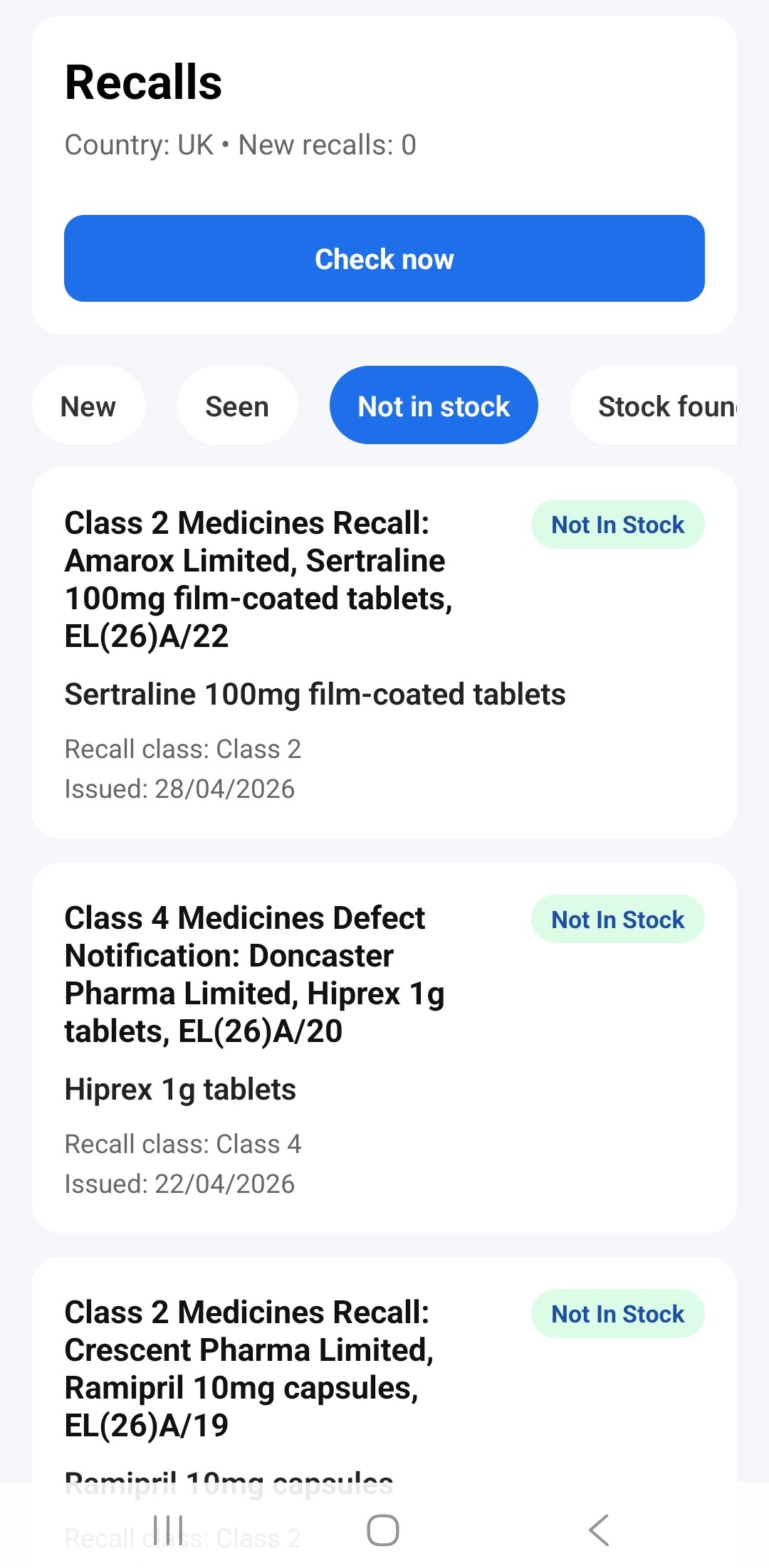
PharmaAudit allows pharmacy teams to manage and track drug recalls with clear audit records. Relevant recall information is downloaded automatically, and staff can record actions taken, including whether affected stock was found or not in stock. All actions are traceable within the reports section.
- recalls
- status tracking
- audit trail
6. Reports and exports
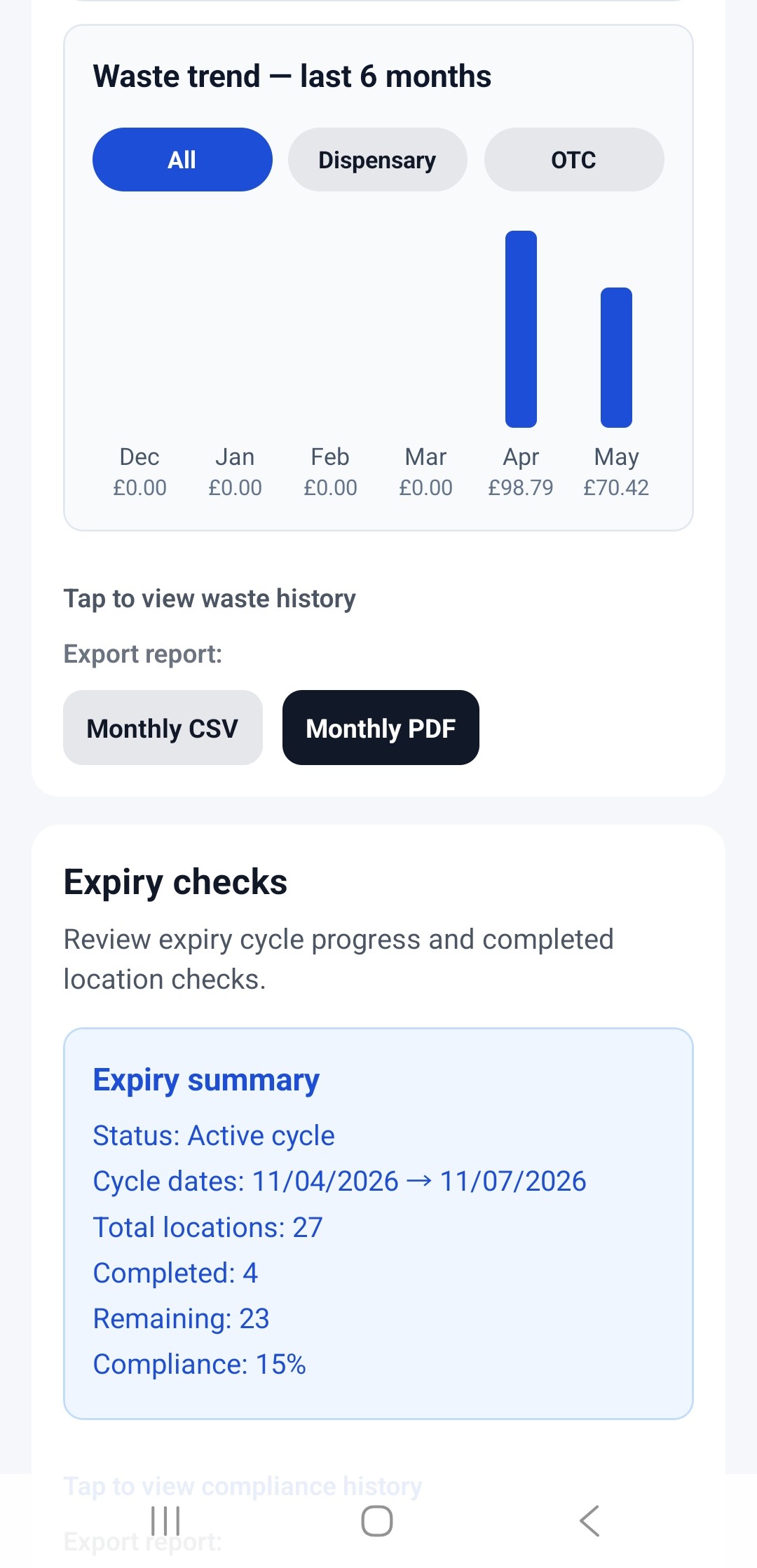
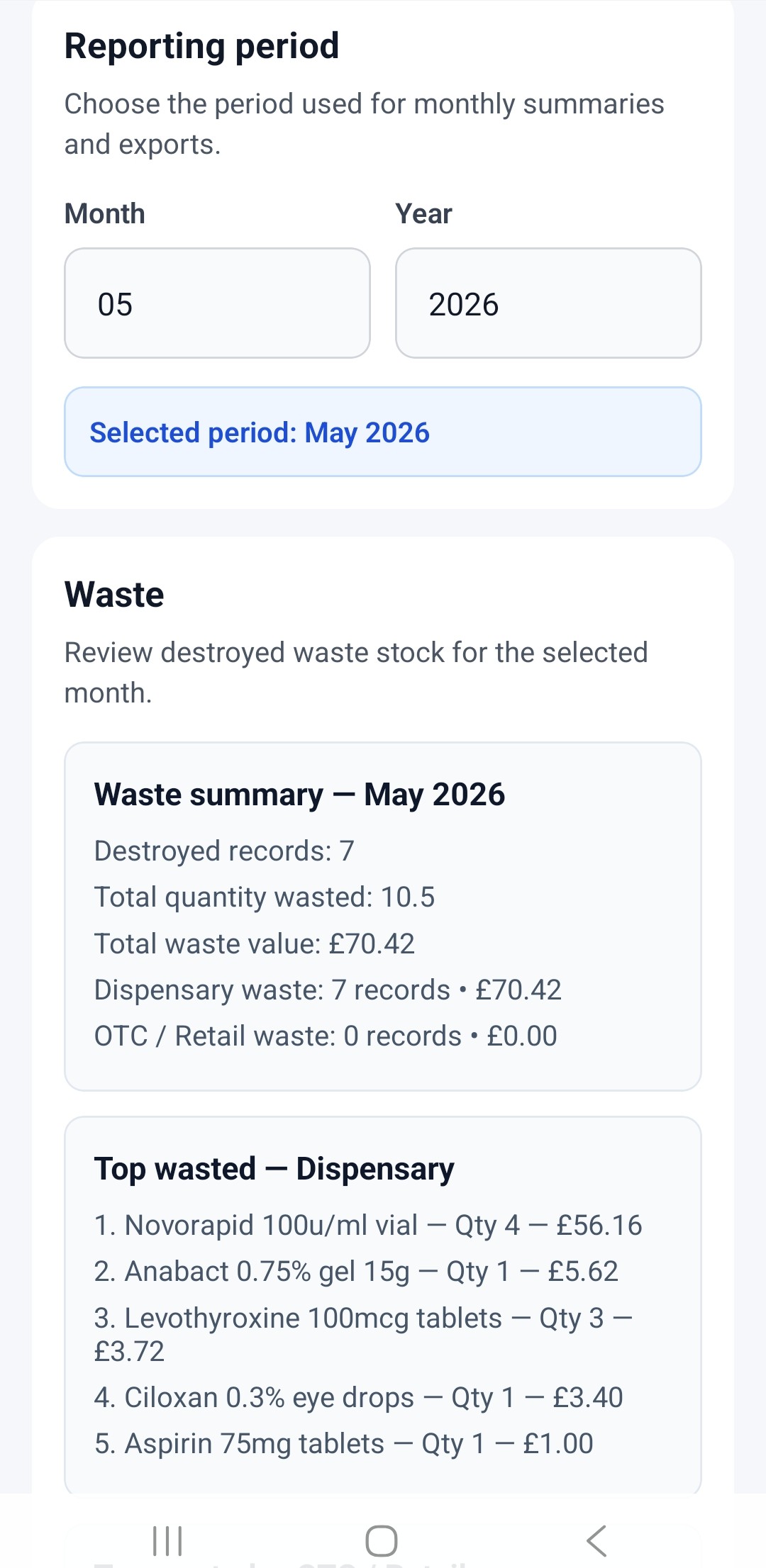
Review waste history, expiry check progress, recall audit trails, and stock activity through a clear reporting dashboard. Track trends including OTC vs dispensary waste and recorded pharmacy actions. Export reports in CSV or PDF format for audits, compliance records, and internal review.
|
|
 |
7. Cloud Sync Beta
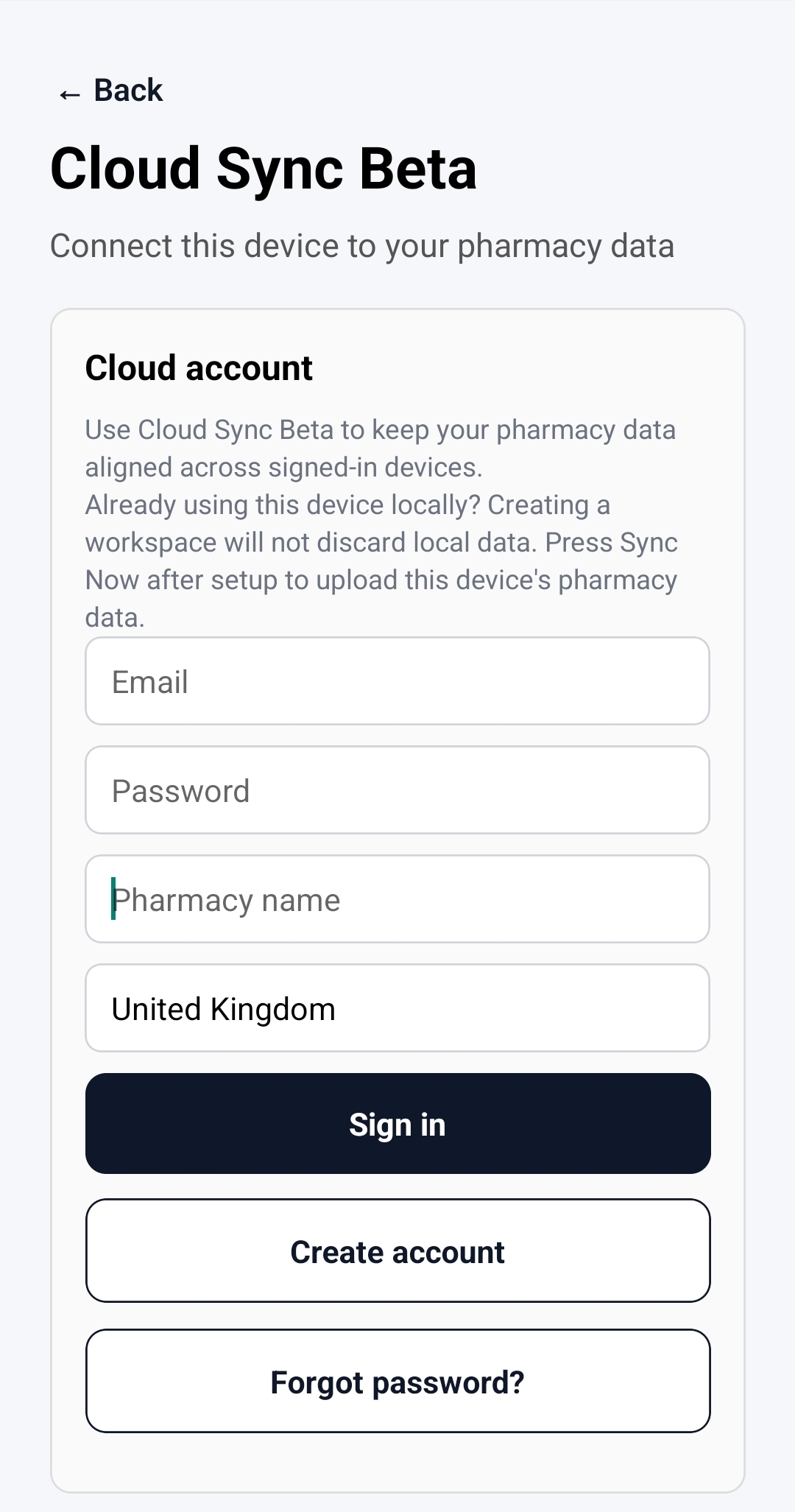
Cloud Sync Beta lets you sign in and connect your pharmacy data across authorised devices. Stock records, locations, staff, near misses, expiry checks, recall actions, waste records, and key pharmacy settings can be kept aligned between devices, helping teams work from the same audit information.
PharmaAudit can still be used locally without Cloud Sync. If you add a second device, sign in with the same PharmaAudit account and sync the device before starting work, so it downloads the latest pharmacy data first.
8. Data & backups
- Data is stored locally on your device.
- Backup/export tools are included.
- Cloud sync may be added in future versions.
Key benefits
Stock Value & Risk Awareness
- See the total value of expiring stock
- Identify high-value items at risk
- Prioritise actions based on financial impact
Visual Insights
- Waste trends displayed in charts
- Monthly breakdowns of stock loss
- Filter by dispensary vs OTC
Fast Daily Workflow
- Barcode scanning for quick entry
- Saved medicines reduce typing
- Quick waste recording
Audit & Compliance
- Structured audit logs
- Exportable reports (CSV & PDF)
- Supports GPhC inspection readiness
Safety & Learning
- Near miss tracking
- Contributing factor analysis
- Identify patterns and reduce errors
Recalls Management (UK)
- Track recall status
- Record actions taken
- Maintain audit trail
Data Control
- Local storage (no cloud dependency)
- Manual backup & restore
- Full control of pharmacy data