A clear, customisable dashboard keeps key tasks and records within easy reach: from expiry tracking, recalls and waste management to incidents, temperature logs, SOPs, learning and reporting. Also supported by an Android app.
 |
 |
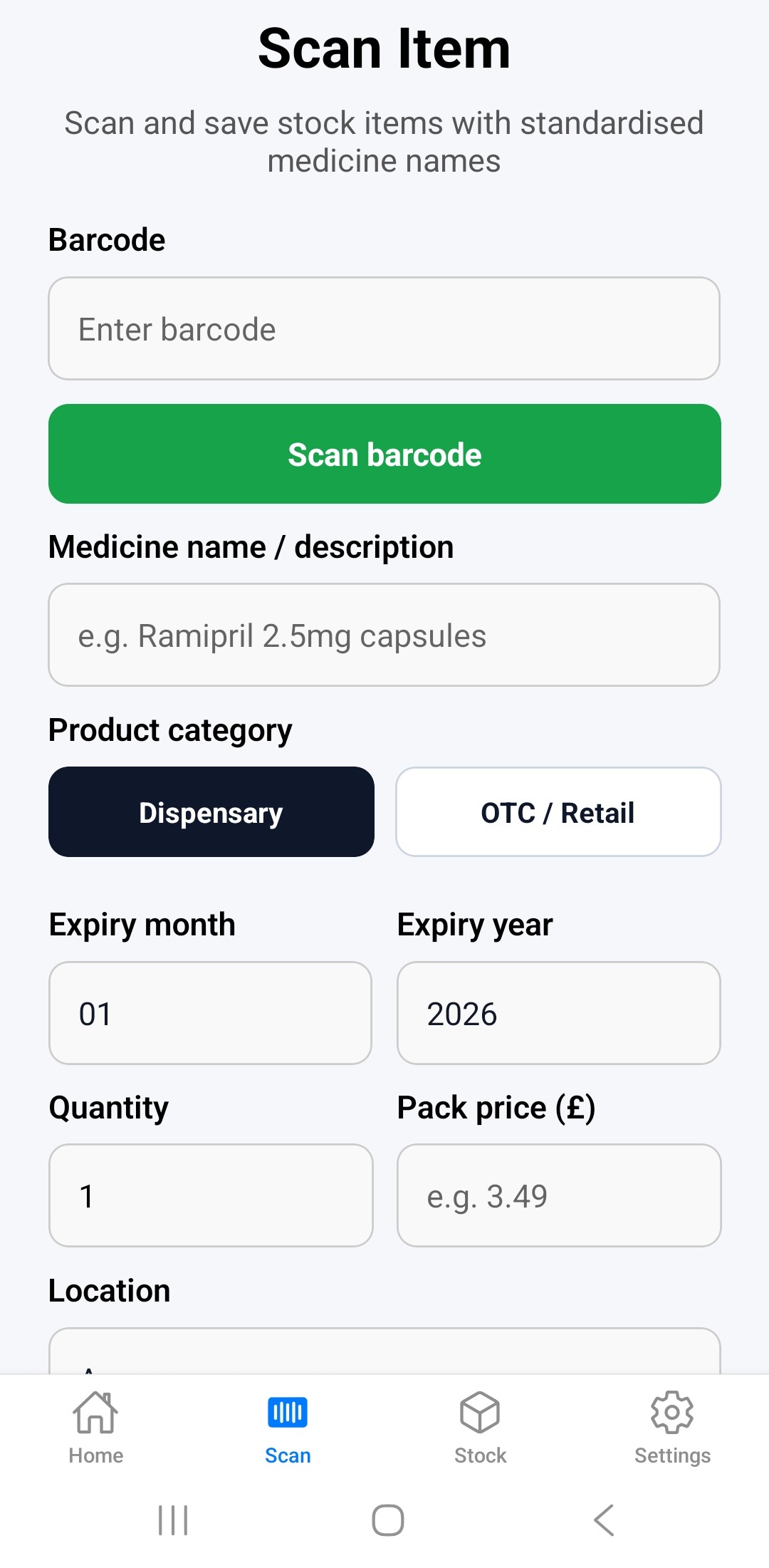
1. Add stock quickly
Scan standard or GS1/2D medicine barcodes, or enter medicines manually. PharmaAudit remembers previously scanned products, medicine names and barcode mappings, making future stock entry faster and reducing repeated typing.
 |
 |
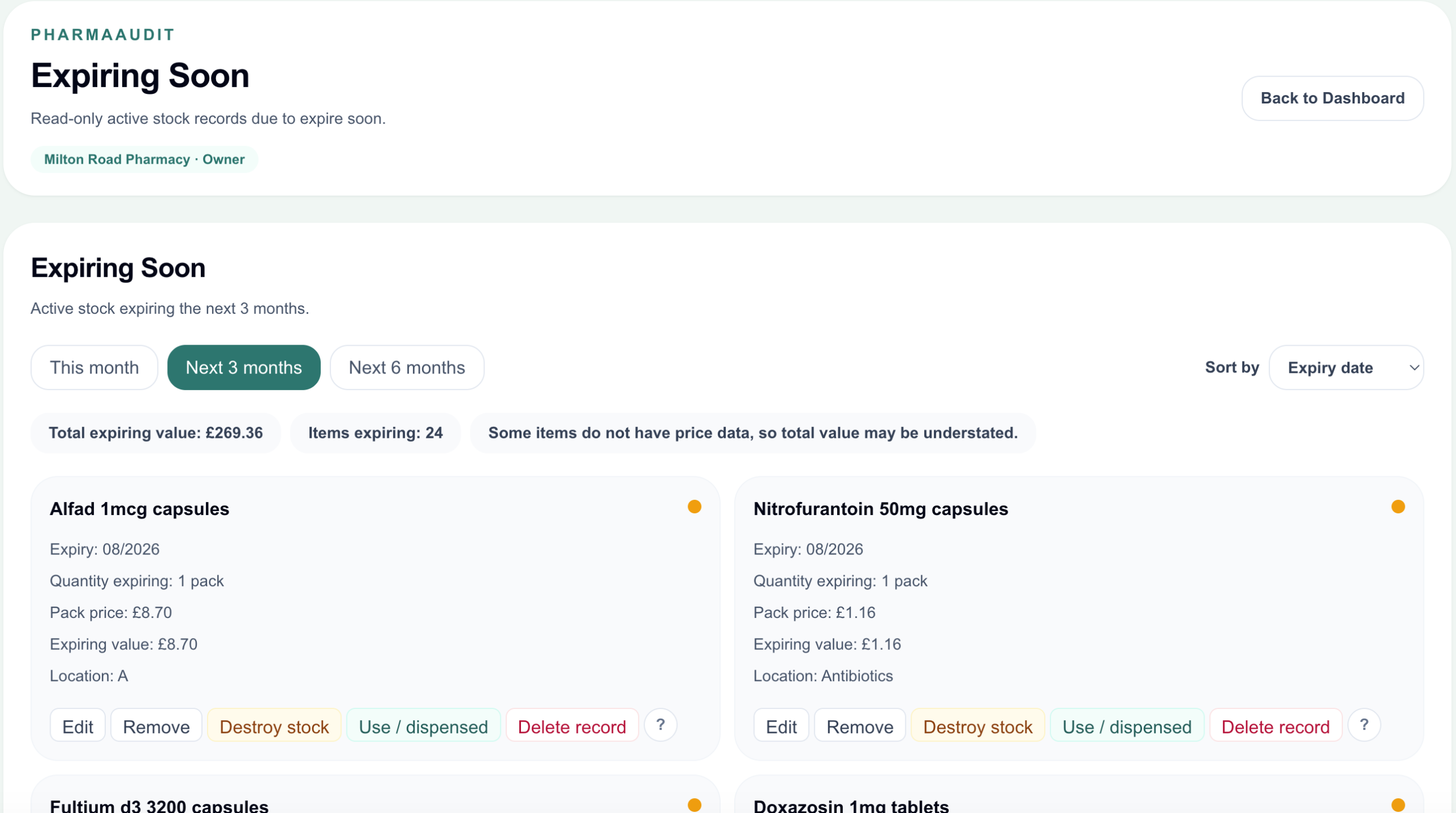
2. Track expiry dates
Quickly identify medicines expiring this month or within the next 1, 3, or 6 months. Manage expired stock more efficiently and reduce unnecessary waste. Filter stock by expiry dates (within 1, 3, or 6 months) and drug value. See the total value of expiring stock.
 |
|
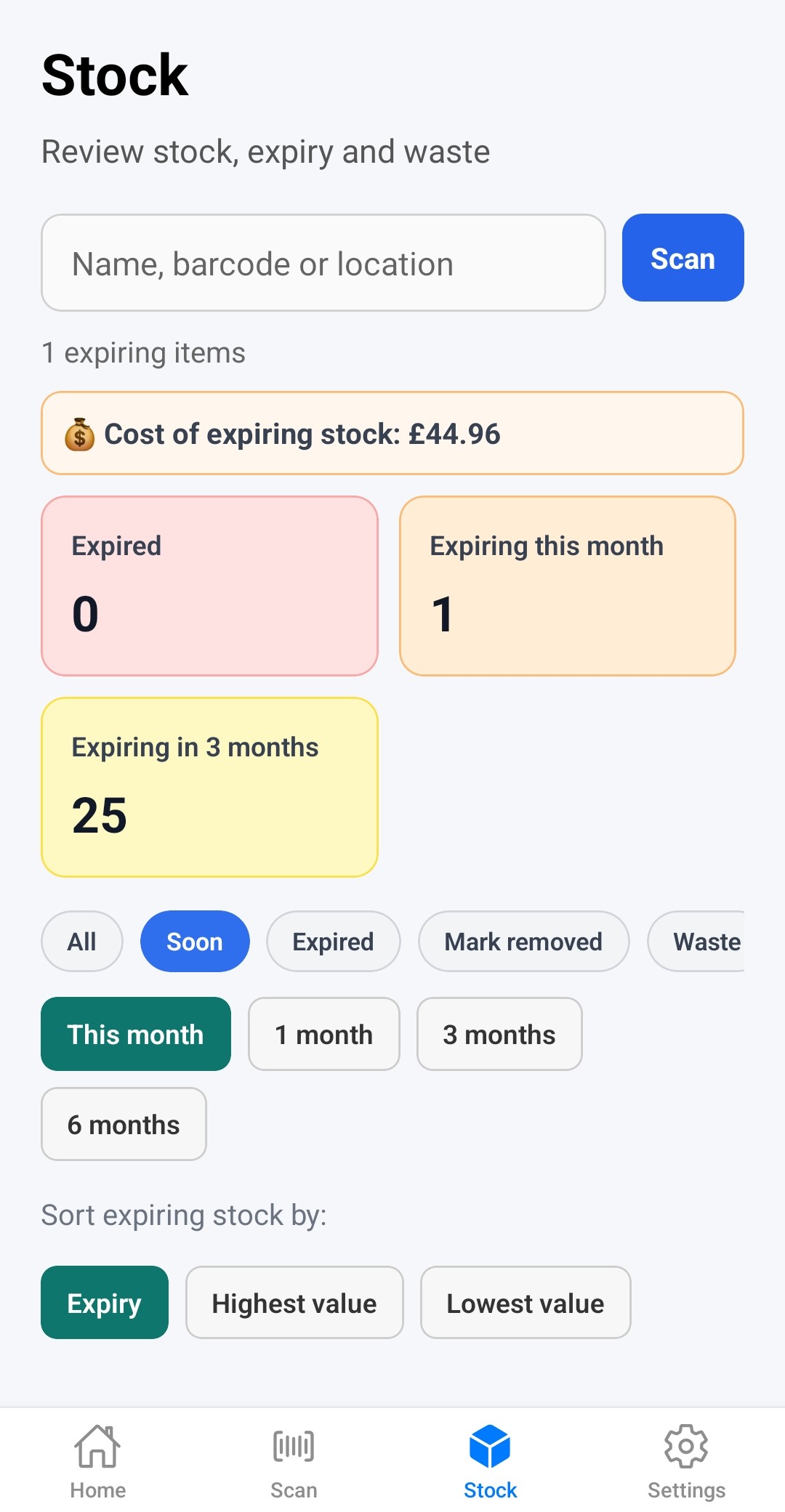
3. Remove stock safely
Find expiring stock in the app in seconds: scan barcode, find by name or location. Comprehensive actions for expiring stock:
- Used / dispensed
- Removed/set aside
- Destroyed
- Deleted
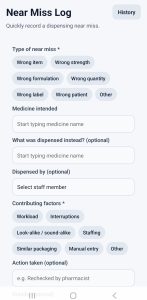
4. Near-miss recording
Replace paper-based near-miss logs with a fast and simple digital workflow designed for busy pharmacies. Record incidents in seconds, review near-miss history, and identify common error patterns more easily.
 |
|
5. Incident management module
Record, review and manage pharmacy incidents, complaints and medication errors, including contributing factors, actions taken, harm level and follow-up.
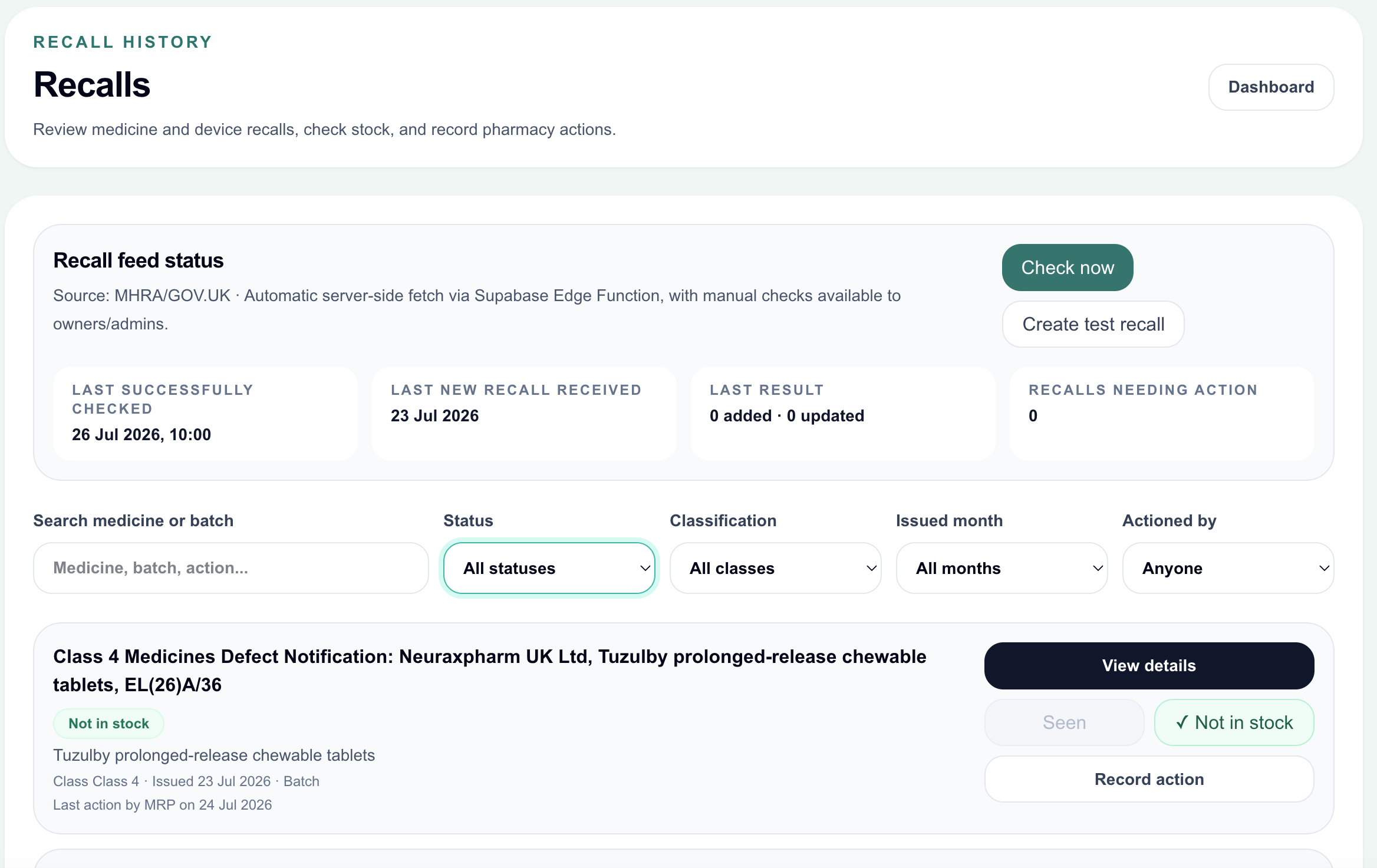
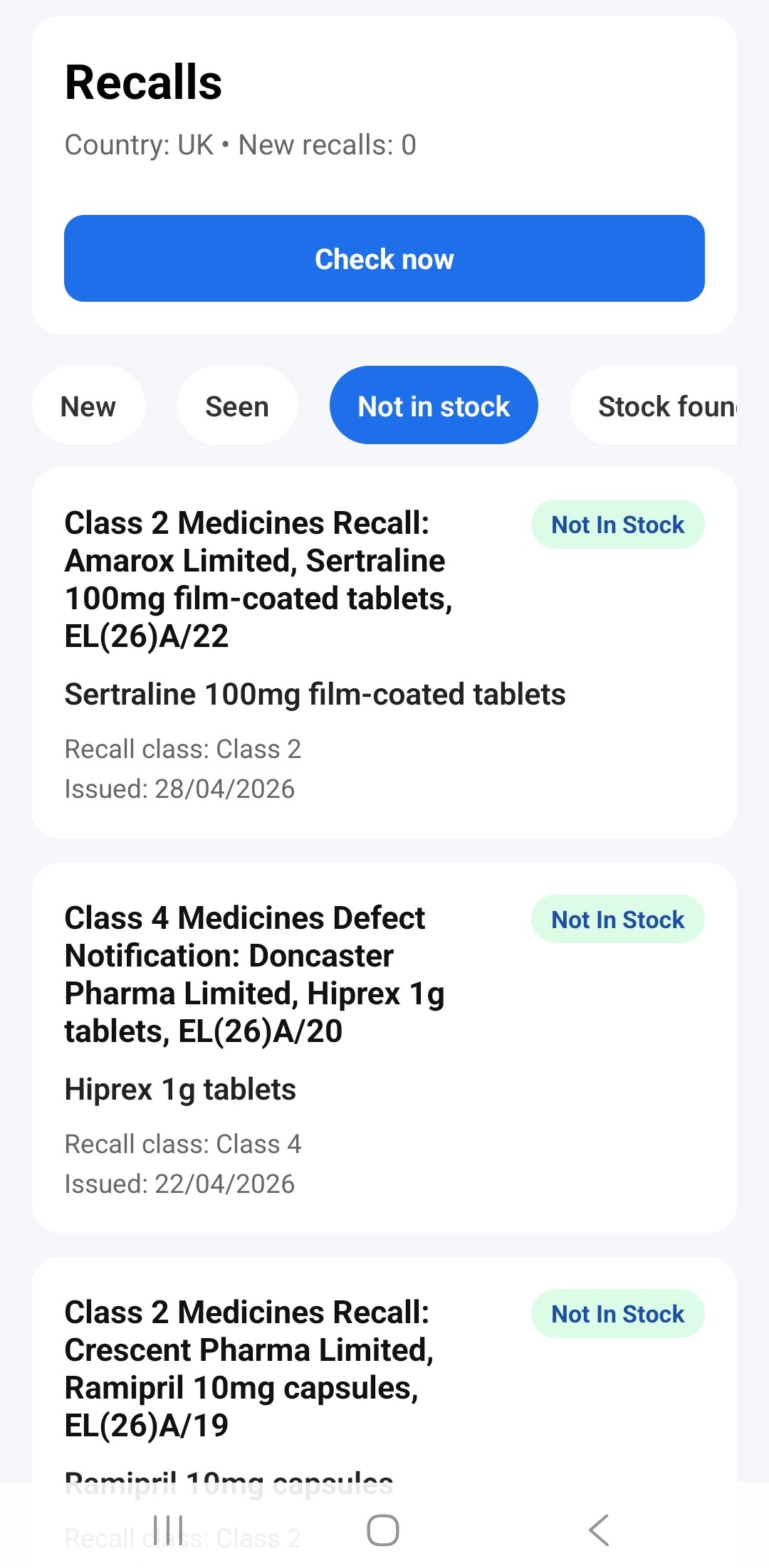
6. Drug recall workflow
PharmaAudit allows pharmacy and other teams to manage and track drug recalls with clear audit records. Relevant recall information is downloaded automatically, and staff can record actions taken, including whether affected stock was found or not in stock. All actions are traceable within the reports section.
- recalls
- status tracking
- audit trail
 |
|
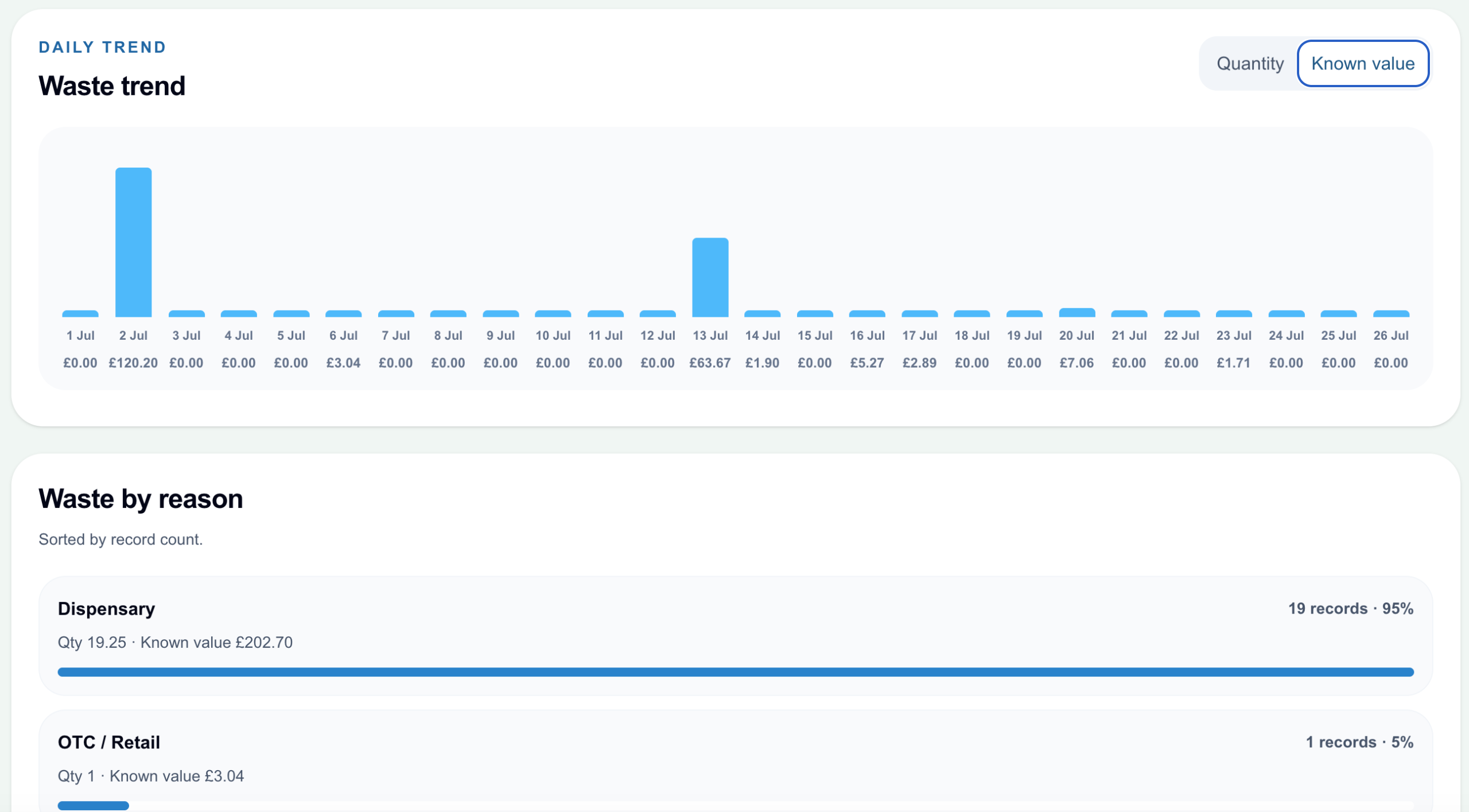
7. Reports and exports
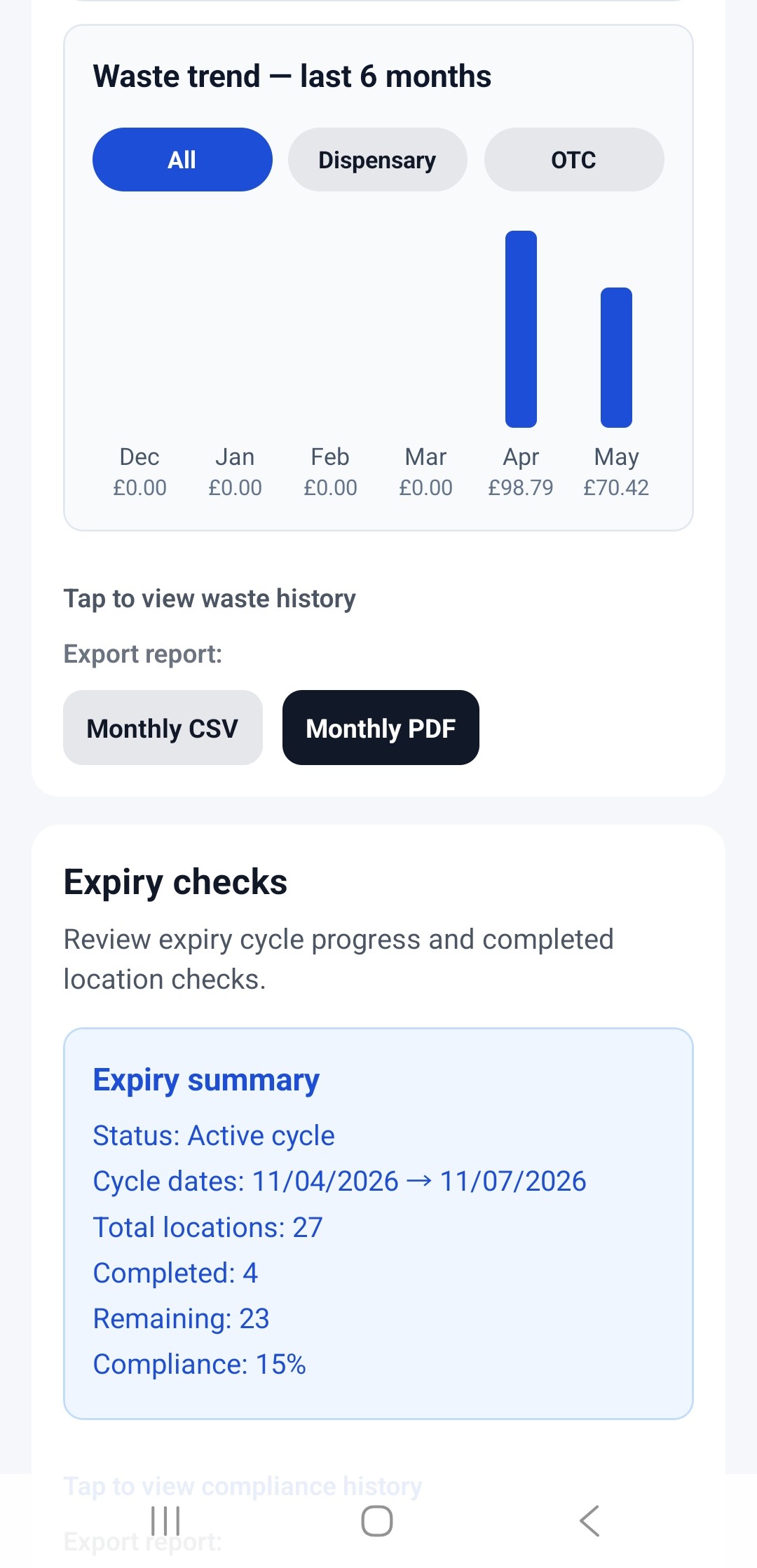
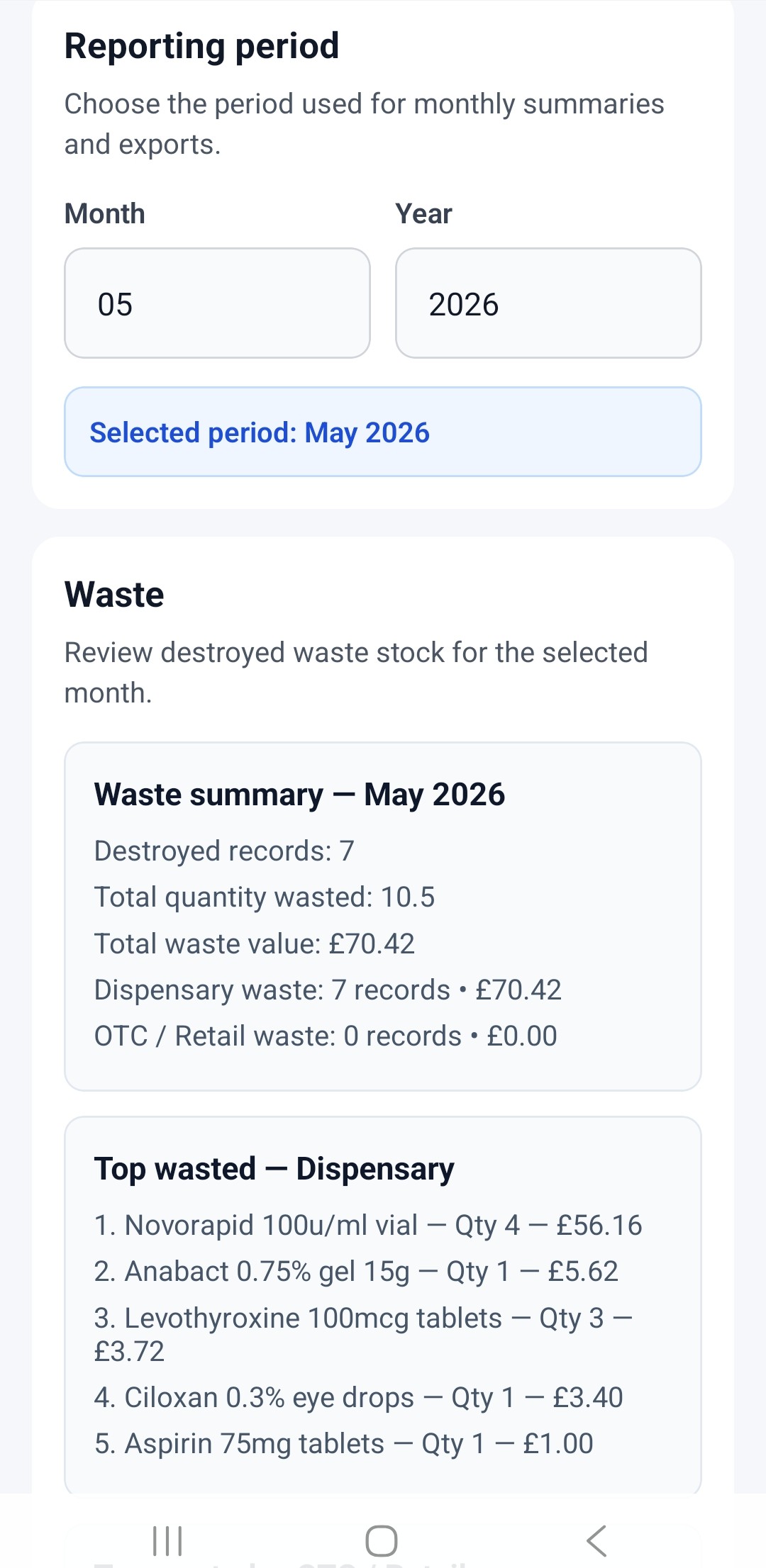
Review waste history, expiry check progress, recall audit trails, and stock activity through a clear reporting dashboard in the app or online.
 |
|
 |
8. Learning and responsibilities module (Dashboard only)
The Learning and Responsibilities module lets organisations create custom job roles, assign responsibilities and link relevant SOPs or learning documents to each role. Managers can track acknowledgements, completion and compliance across the team. Pharmacies can also apply more than 70 pre-set responsibilities designed for pharmacy teams.
 |
 |
9. Temperature logs
The Temperature Logs module lets users add equipment such as fridges, record routine minimum and maximum temperatures, flag out-of-range readings and maintain a clear history for review and audit.
10. Cloud Sync Beta
Cloud Sync Beta lets you sign in and connect your pharmacy data across authorised devices. Stock records, locations, staff, near misses, expiry checks, recall actions, waste records, and key pharmacy settings can be kept aligned between devices, helping teams work from the same audit information.
Key Benefits
Stock Value & Risk Awareness
- See the total value of expiring stock
- Identify high-value items at risk
- Prioritise actions based on financial impact
Visual Insights
- Interactive charts and dashboards
- Waste trends and monthly analysis
- Filter by dispensary, OTC and locations
Fast Daily Workflow
- Barcode scanning for quick stock entry
- Saved medicines reduce typing
- Quick expiry, waste and stock recording
Audit & Compliance
- Structured audit trails
- Exportable reports (CSV & PDF)
- Supports GPhC inspection readiness
Staff Training & Learning
- Assign and acknowledge SOPs
- Record staff learning and training
- Track staff responsibilities and completion
- Promote continuous quality improvement
Patient Safety
- Near miss and incident reporting
- Contributing factor analysis
- Identify trends and reduce dispensing errors
Recall Management (UK)
- Monitor MHRA drug recalls
- Record actions taken
- Maintain a complete audit trail
Cloud & Dashboard
- Secure cloud synchronisation
- Access from the mobile app and web dashboard
- Multi-user pharmacy management